A traditional POS system runs checkout software and business data on hardware located at the business. It usually uses fixed terminals, local servers, printers, scanners, cash drawers, and payment devices. This setup can still suit U.S. businesses that value local control and predictable counter-based operations. Direct answer: A traditional point-of-sale setup stores software and business data on equipment located inside the business. It commonly uses fixed checkout terminals and a local network. This approach offers strong local control and dependable offline operations, but remote access and expansion can require more work.
| Key point | Practical answer |
|---|---|
| Main setup | Fixed terminals connected to local hardware or servers |
| Data location | Usually stored on-site |
| Internet dependence | Core local functions can often continue without internet |
| Common hardware | Terminal, scanner, printer, cash drawer, payment reader |
| Main advantage | Local control and predictable fixed-location operation |
| Main drawback | Higher installation, maintenance, and upgrade responsibility |
| Best fit | Stable locations with fixed checkout workflows |
| Alternative | Cloud or hybrid point-of-sale technology |
Key Takeaways
* Traditional setups keep software and much of the operating data on-site. * They can work well for businesses with stable, fixed checkout stations. * Hardware purchases and installation can create higher initial costs. * Remote reporting and multi-location management may require extra infrastructure. * Cloud products usually make remote access and expansion easier. * A hybrid setup can combine local operation with cloud-based reporting or backups.
What Is a Traditional POS System?
A traditional POS system is an on-premise checkout platform built around local hardware and software. Business data generally remains on a computer or server within the location. Staff usually complete transactions at fixed registers rather than portable devices. These systems became common across retail, restaurants, hospitality, and other customer-facing businesses. Many remain operational because they handle established workflows reliably. A familiar system can also reduce retraining when business processes rarely change. Modern point-of-sale products have changed how businesses think about checkout technology. Cloud products store information on remotely managed infrastructure and make remote access easier. Traditional setups instead place more responsibility for equipment, maintenance, backups, and updates on the business.
How Traditional Point-of-Sale Technology Works
The checkout process begins when an employee enters or scans an item. The installed software calculates prices, taxes, discounts, and transaction totals. Connected payment hardware then handles the customer’s chosen payment method. The completed sale is recorded inside the local environment. Inventory quantities can also change when the software includes stock management features. Managers may use the stored information for sales reports, reconciliation, employee activity, and other operational tasks. A local server can connect several registers inside one store. Larger installations may also connect different departments through an internal network. Multi-location access is possible, but it can require more configuration than modern cloud platforms.
Main Components of a Traditional Setup
A fixed checkout station normally combines several pieces of hardware. Each component handles part of the sale or recordkeeping process. The exact equipment depends on the business type and transaction volume. Common components include the following.
* Checkout terminal or desktop computer; * Locally installed point-of-sale software; * Cash drawer; * Barcode scanner; * Receipt printer; * Customer-facing display; * Card or contactless payment terminal; * Local server or storage equipment; * Internal network equipment; * Backup hardware or storage.
Restaurants may add kitchen printers or display screens. Retailers may require scales, label printers, or specialized scanners. Businesses should confirm hardware compatibility before replacing individual components.
Traditional POS Versus Cloud POS
Traditional and cloud platforms can both process customer purchases. Their largest differences involve data storage, maintenance, accessibility, and cost structure. Those differences can affect daily operations more than the checkout screen itself.
| Factor | Traditional setup | Cloud setup |
|---|---|---|
| Data storage | Local computer or server | Remote provider infrastructure |
| Remote access | Usually limited or specially configured | Usually available online |
| Updates | Often managed locally | Usually provider-managed |
| Initial cost | Often higher | Often lower |
| Recurring fees | Varies by license and support | Subscription is common |
| Offline operation | Strong local capability | Depends on offline features |
| Multi-location growth | More infrastructure may be needed | Usually easier to add locations |
| Maintenance | Business or local technician | More provider-managed |
Cloud platforms dominate many newer deployments because they simplify remote management. They can also make adding locations and devices easier. Traditional architecture still has useful cases where local operation matters more than mobility.
Advantages of Traditional Point-of-Sale Systems
Local operation can reduce dependence on an internet connection for core checkout tasks. That can matter in locations where connectivity is inconsistent. Owners should still verify whether payment authorization requires external connectivity. Direct control over business data can also appeal to organizations with established internal technology policies. The business manages local backups, user permissions, and equipment decisions. That control comes with responsibility for protecting and maintaining those systems. Existing businesses may also avoid migration work by keeping a stable installation. Replacing a mature platform can require product imports, employee training, hardware changes, and accounting adjustments. A replacement should therefore solve a meaningful business problem. Businesses without internal technical expertise may need outside support for those responsibilities. InvestBout’s guidance on managed IT services explains how smaller businesses can structure continuing technology support. That becomes relevant when local servers and checkout hardware are operationally critical.
Disadvantages and Costs to Consider
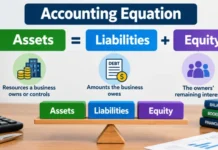
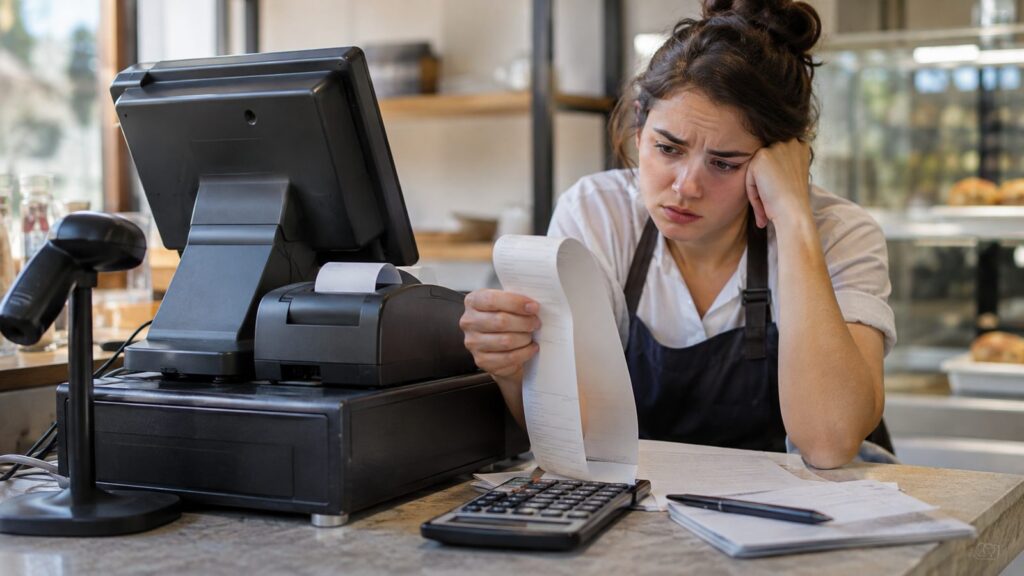
The largest drawback is often the upfront investment. Traditional deployments may require terminals, servers, networking equipment, software licenses, installation, and employee training. Final pricing varies substantially by provider, industry, and number of stations. Maintenance can also become a continuing responsibility. Hardware eventually fails, operating systems lose support, and software may require manual upgrades. Businesses should budget for repairs and replacement instead of considering installation the final cost. Remote access can create another limitation. Owners managing several stores may want centralized sales and inventory information from anywhere. Cloud platforms generally provide that capability more easily than isolated local installations. Capital planning matters when equipment purchases are significant. A terminal purchase creates a business asset rather than disappearing from the company’s financial picture. InvestBout’s accounting equation guide provides useful background for understanding how equipment, cash, liabilities, and equity interact.
When a Traditional POS Still Makes Sense
A local setup can remain sensible when checkout happens at permanent counters. The business may also depend on specialized peripherals that already work reliably. Replacing functioning equipment without a clear benefit can create unnecessary disruption. Businesses with unreliable connectivity may value strong local operating capability. High-volume environments may also prefer predictable fixed terminals and established workflows. The decision should depend on operating requirements rather than whether a technology sounds newer. Existing investments matter too. A business may already own compatible terminals, servers, and peripherals. Keeping that infrastructure can be reasonable when maintenance remains affordable and security support continues.
When a Cloud or Hybrid System May Be Better
Cloud technology usually fits businesses that need access from several locations. Owners can often review reports without connecting directly to an in-store server. New stores can also be easier to add under one central account. Mobile selling is another strong reason to consider newer technology. Tablets and handheld terminals can move checkout away from a fixed counter. Retailers selling both online and in person may also benefit from centralized inventory information. Hybrid products offer another option. They combine local operating capabilities with selected cloud functions. This structure can help businesses that want offline resilience without giving up remote management. Retail operators should also consider how checkout connects with inventory planning. InvestBout’s guide for U.S. resellers discusses inventory control, margins, selling channels, and operating costs. Those factors can influence which checkout architecture fits a growing retail operation.
How to Choose the Right Setup for Your U.S. Business
Start by documenting what happens during a normal sale. Identify the hardware employees use and the reports managers need. Then record which functions must continue during an internet or equipment failure. Next, calculate the total cost across several years. Include hardware, software, installation, payment processing, support, backups, replacements, and expected upgrades. A cheaper purchase can become expensive when maintenance requirements are ignored. Ask every vendor about data ownership and export procedures. You should understand how to retrieve transaction, inventory, and customer information before signing. Migration becomes harder when data exists only in proprietary formats. Security also deserves direct questions. Ask how software patches are delivered and how administrator accounts are protected. Confirm backup procedures and recovery responsibilities before the system becomes essential. Finally, evaluate expected business growth. A single-location store has different needs from a company planning several locations. InvestBout’s U.S. business ideas guide also emphasizes validating operating costs before committing substantial capital.
A Practical Buying Checklist
Use the following questions when comparing vendors:
1. Where will sales and inventory data be stored? 2. Which functions continue when internet service fails? 3. Which hardware must be purchased from the vendor? 4. What software licenses or recurring fees apply? 5. Who installs updates and security patches? 6. How are backups created and tested? 7. Can managers access reports remotely? 8. How easily can another register or location be added? 9. What happens if a terminal or server fails? 10. Can all business data be exported before cancellation?
Request written answers when an issue affects uptime or costs. Sales demonstrations can hide important infrastructure requirements. A written comparison also makes competing proposals easier to evaluate.
Frequently Asked Questions About a Traditional POS System
Does a traditional POS system need internet access?
Core locally installed functions may work without continuous internet access. Card authorization and outside services can still require connectivity. Ask the provider exactly which features remain available during an outage.
Is traditional POS the same as a cash register?
No. A basic cash register mainly records transactions and stores cash. A computerized point-of-sale platform can also manage inventory, reports, employees, products, and connected payment hardware.
Are traditional systems more expensive than cloud systems?
They often require higher upfront spending on hardware and installation. Cloud products commonly shift more costs toward subscriptions. Compare several years of ownership rather than only the initial price.
Can an on-premise setup manage inventory?
Yes, many systems include inventory tracking and reporting. Capabilities differ by software and industry. Confirm whether the platform supports your products, locations, purchasing process, and reporting requirements.
Should a small business replace an existing legacy setup?
Replace it when the current system creates measurable problems or unacceptable risks. Common triggers include unsupported software, failing hardware, weak integrations, or difficult multi-location management. A stable supported installation does not require replacement solely because it uses local architecture.
Final Decision
Traditional point-of-sale technology is not automatically obsolete. It can remain practical where checkout is fixed, connectivity is unreliable, and existing hardware still meets business needs. The strongest reason to keep it is operational fit rather than familiarity alone. Cloud systems usually provide easier remote access, updates, and multi-location growth. Hybrid options can offer a middle path when local operation remains important. Compare reliability, total cost, support, security, and expansion needs before choosing. The best system is the one that supports how your business sells today. It should also accommodate the next realistic stage of growth. Treat the purchase as an operating decision, not merely a checkout hardware purchase. —