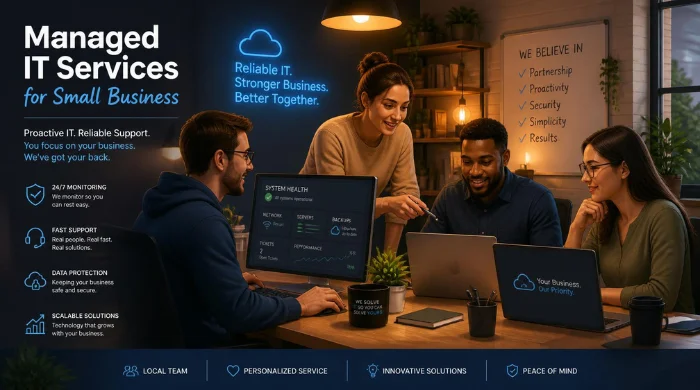
Managed IT services for small businesses give owners ongoing technology support without building a full internal IT department. A provider can monitor systems, support employees, manage security tools, and plan upgrades under a recurring agreement. The right arrangement can reduce surprise problems while making technology costs easier to forecast.
Managed support means an outside provider takes continuing responsibility for agreed parts of your technology environment. For a small U.S. company, that usually includes help desk support, device management, cybersecurity, backups, network monitoring, cloud administration, and technology planning under defined service levels.
| Question | Practical answer |
| What is it? | Ongoing outsourced IT management under a recurring agreement |
| Who is it for? | Small companies that depend on technology but lack enough internal IT capacity |
| Common scope | Help desk, monitoring, patching, security, backups, cloud, networks, planning |
| Typical 2026 U.S. pricing | About $100–$250 per user monthly for many fully managed plans |
| Best contract feature | Clear responsibilities, response targets, exclusions, security duties, and offboarding terms |
| Biggest buying mistake | Comparing monthly prices without comparing service scope |
Key Takeaways
- Managed support shifts IT from reactive repairs toward continuous maintenance and prevention.
- The monthly price matters less than the services, tools, response commitments, and exclusions behind it.
- Cybersecurity remains a shared responsibility, even when a third party manages many controls.
- Compare providers using written service levels, security practices, references, and onboarding plans.
- A clear first-90-day plan exposes documentation gaps before they become operational problems.
What Managed IT Services for Small Business Usually Include
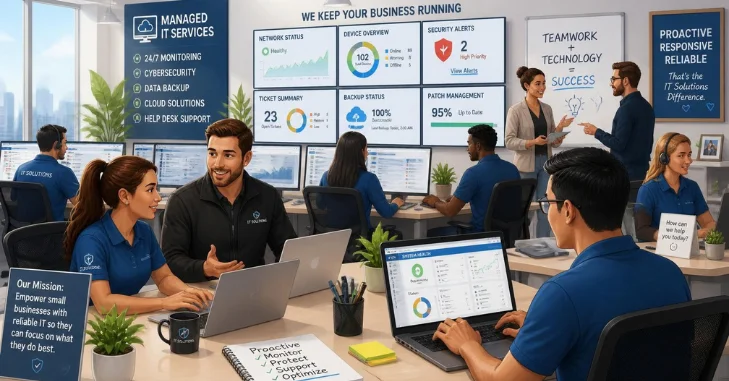
A standard managed IT services for small business agreement should cover daily support and preventive maintenance across the systems your employees use. Exact packages vary, so buyers should ask what is included rather than rely on a service name. Good proposals define responsibilities in writing before the contract starts.
Common services include help desk support, endpoint monitoring, software patching, endpoint security, and backup oversight. Providers may also manage Microsoft 365, Google Workspace, firewalls, Wi-Fi, servers, and cloud resources. Some agreements include technology planning, vendor coordination, compliance support, or virtual CIO guidance.
Small firms should connect technical planning with broader operating goals as their systems become more important. InvestBout’s website setup guide explains why hosting, security, and reliability affect an online presence. Its small-business guides also support wider decisions about growth and operations.
Why Small Companies Use an MSP Instead of Waiting for Problems
Break-fix support starts after something fails, making costs hard to predict. Managed support covers ongoing maintenance, monitoring, and employee assistance before issues become urgent. That model works best when technology is central to daily operations.
A small company may also need skills that one generalist cannot cover alone. Networking, cloud administration, cybersecurity, backups, identity, and user support require different experience. An outside team can provide broader coverage without requiring several full-time hires.
NIST notes that outsourcing cybersecurity is especially common for smaller companies with limited internal resources or expertise. It also recommends defining desired outcomes and responsibilities before choosing outside support. Those steps help keep the relationship focused on business needs rather than technology alone.
How Much Does Managed Support Cost in the United States?
Published 2026 pricing guides from U.S. providers commonly place full managed support around $100 to $250 per user monthly. Quotes depend on users, devices, support hours, security, compliance, and infrastructure. A low headline price can mislead when essential tools appear as separate add-ons.
| Pricing approach | How it works | What to check |
| Per user | Monthly fee for each supported employee | Included devices, applications, security tools, and support hours |
| Per device | Monthly fee for each managed endpoint | Server, workstation, network, and mobile-device definitions |
| Flat monthly | One recurring fee for a defined environment | User limits, project exclusions, hardware changes, and growth terms |
| Co-managed | Provider supports an internal IT person or team | Responsibility split, escalation rules, and tool ownership |
| Project or break-fix | Hourly or fixed fee for specific work | Emergency rates, minimum charges, and recurring maintenance gaps |
A ten-person firm at $150 per user would spend about $1,500 monthly before extra projects or licenses. A twenty-five-person firm at that rate would spend about $3,750 monthly. These examples are simple budgeting illustrations, not market quotes.
Managed Support Versus Break-Fix and In-House IT
Different support models solve different problems, so price shouldn’t decide the choice alone. Break-fix can suit simple environments, while internal staff offers deeper company context. A managed provider can add wider specialist coverage and recurring service commitments.
| Model | Main strength | Main limitation | Best fit |
| Break-fix | Pay only when work is requested | Reactive and unpredictable | Simple environments with low technology dependence |
| Managed provider | Predictable recurring scope and wider specialist access | Requires vendor oversight | Small firms needing continuing support and security |
| In-house IT | Direct control and deep internal context | Higher staffing cost | Firms with enough workload for dedicated employees |
| Co-managed IT | Combines internal knowledge with outside specialists | Needs clear ownership boundaries | Growing firms with internal IT staff |
A growing company does not always need to choose complete outsourcing or complete internal control. Co-managed support lets employees retain company knowledge while outside specialists handle selected technical work. The contract should state exactly which party owns each responsibility.
Cybersecurity Still Belongs on the Owner’s Checklist
Outsourcing technical work does not remove a company’s responsibility for protecting its data and customers. NIST organizes cybersecurity risk management around Govern, Identify, Protect, Detect, Respond, and Recover. Its small-business guidance targets organizations with modest or developing cybersecurity programs.
A provider should explain how its service supports those outcomes in practical terms. Ask about multi-factor authentication, patching, endpoint protection, backup testing, administrator access, incident response, and security reporting. Also ask what remains your responsibility after the contract begins.
NIST specifically warns that outsourcing cybersecurity does not transfer responsibility for protecting business systems and customer information. That makes documented roles and expectations especially important in an MSP agreement. Owners still need to oversee the risks affecting their organizations.
CISA provides an SMB vendor-assessment resource that specifically includes vetting managed service providers. This matters because an MSP may receive privileged access to systems, accounts, and sensitive information. InvestBout’s article on data security practices offers related context about protecting business information.
How to Choose a Provider Without Buying More Than You Need
Start by documenting your environment before requesting vendor proposals. Count users, devices, offices, cloud platforms, servers, critical applications, and compliance obligations. Then identify the business problems that need measurable improvement.
Use the same questions with every provider to keep comparisons fair. Ask each vendor to answer in writing rather than relying on a sales call. Keep the responses beside the final proposal and contract.
- Ask which services, software licenses, and security tools are included in the monthly fee.
- Request written response targets for urgent, high, normal, and low-priority tickets.
- Ask whether support is available after hours, on weekends, and during holidays.
- Confirm how backups are monitored, tested, retained, and restored after an incident.
- Ask how privileged administrator accounts are protected, logged, reviewed, and removed.
- Request references from U.S. businesses with similar size, systems, and regulatory needs.
- Confirm contract length, renewal terms, price increases, project exclusions, and offboarding steps.
- Ask who owns documentation, credentials, configurations, domains, licenses, and backup data.
A strong proposal should make responsibilities easy to understand before you sign anything. It should also explain what happens when an issue falls outside the normal monthly scope. Vague boundaries often create invoice disputes and mismatched expectations later.
Technology spending should also support the direction your company wants to take. InvestBout’s guide to writing a vision statement can help connect long-term priorities with operational decisions. That connection helps leaders decide which systems deserve investment first.
Red Flags in a Managed IT Proposal
Cheap pricing is not automatically a problem, but unexplained pricing can be. A proposal should show what the fee covers, what costs extra, and how service levels work. Missing details make it harder to compare providers on equal terms.
Review the contract and proposal for several common warning signs. Ask for clarification when language sounds broad or leaves ownership unclear. Do not assume a sales promise overrides written terms.
- No written service-level agreement or response-time definitions.
- Cybersecurity described only with vague terms such as “protection” or “monitoring.”
- Backups included without restore testing or documented recovery expectations.
- Long contracts with unclear cancellation, renewal, or offboarding rules.
- Administrator access that lacks multi-factor authentication or activity logging.
- No process for documenting systems, vendors, licenses, and credentials.
- Project fees that are undefined until work has already started.
The strongest contract is not the one with the longest feature list. It matches your risks, systems, budget, and business hours. Clear exclusions can be as valuable as clear inclusions.
What the First 90 Days Should Look Like
Onboarding should begin with discovery rather than immediate tool installation. The provider needs an accurate inventory of users, devices, software, networks, vendors, and administrative accounts. Record missing documentation and assign an owner.
During the first month, the MSP should establish access controls, monitoring, patching, support channels, and backup visibility. The next phase should address higher-risk gaps and recurring user problems. By day ninety, both sides should have a prioritized technology roadmap.
Review the early relationship against a short baseline. The review should show whether support and risk visibility are improving. It should also identify spending priorities for the next quarter.
- Device and user inventory accuracy.
- Backup success and restore-test results.
- Patch status and unsupported software.
- Multi-factor authentication coverage.
- Open security and reliability risks.
- Ticket volume, response times, and recurring issues.
- Planned hardware, cloud, or software changes.
Frequently Asked Questions
How much do managed IT services for small business cost?
Many 2026 U.S. pricing guides cite roughly $100 to $250 per user each month for fully managed plans. Smaller monitoring packages can cost less, while security-heavy or compliance-focused plans can cost more. Compare the included scope before comparing the monthly number.
Are managed IT services worth it for a very small company?
They can make sense when downtime, data loss, or slow employee support would materially affect the business. A five-person professional firm may depend on email, cloud files, billing, and client systems every day. Compare operational risk with the full annual contract cost.
Does an MSP replace every internal technology responsibility?
No provider should make every technology decision on your behalf. Owners still need to set priorities, approve budgets, manage legal obligations, and oversee vendor performance. The provider should supply expertise, execution, documentation, and measurable service.
What should a managed IT contract include?
The agreement should define scope, support hours, response targets, escalation, security duties, exclusions, pricing, and renewal terms. It should also address data ownership, privileged access, documentation, and offboarding. Clear terms reduce disputes when an urgent problem occurs.